
The Structure of a Document
Last updated on 2026-07-26 | Edit this page
Overview
Questions
- How are LaTeX documents structured?
Objectives
- Identify the different kinds of section commands in LaTeX.
Sections
In a word processor, you might use headings to organize your document.In LaTeX, we’ll use the section commands:
\section{...}\subsection{...}
LaTeX will handle all of the numbering, formatting, vertical spacing, fonts, and so on in order to keep these elements consistent throughout your document. Let’s add sections to our document.
LATEX
% This command tells LaTeX what kind of document we are creating (article).
\documentclass{article}


% Everything before the \begin{document} command is called the preamble.
\begin{document} % The document body starts here

% The section command automatically numbers and formats the section heading.
\section{My First Section}

Hello World!

This is my first LaTeX document.

I can add content to my first section!

% The subsection command does the same thing, but for sections within sections.
\subsection{This is a Subsection of my First Section}

I can put a subsection inside my first section.

\section{This is a Second Section}

And this text will go into another section.

\end{document}
You should have something that looks like this:
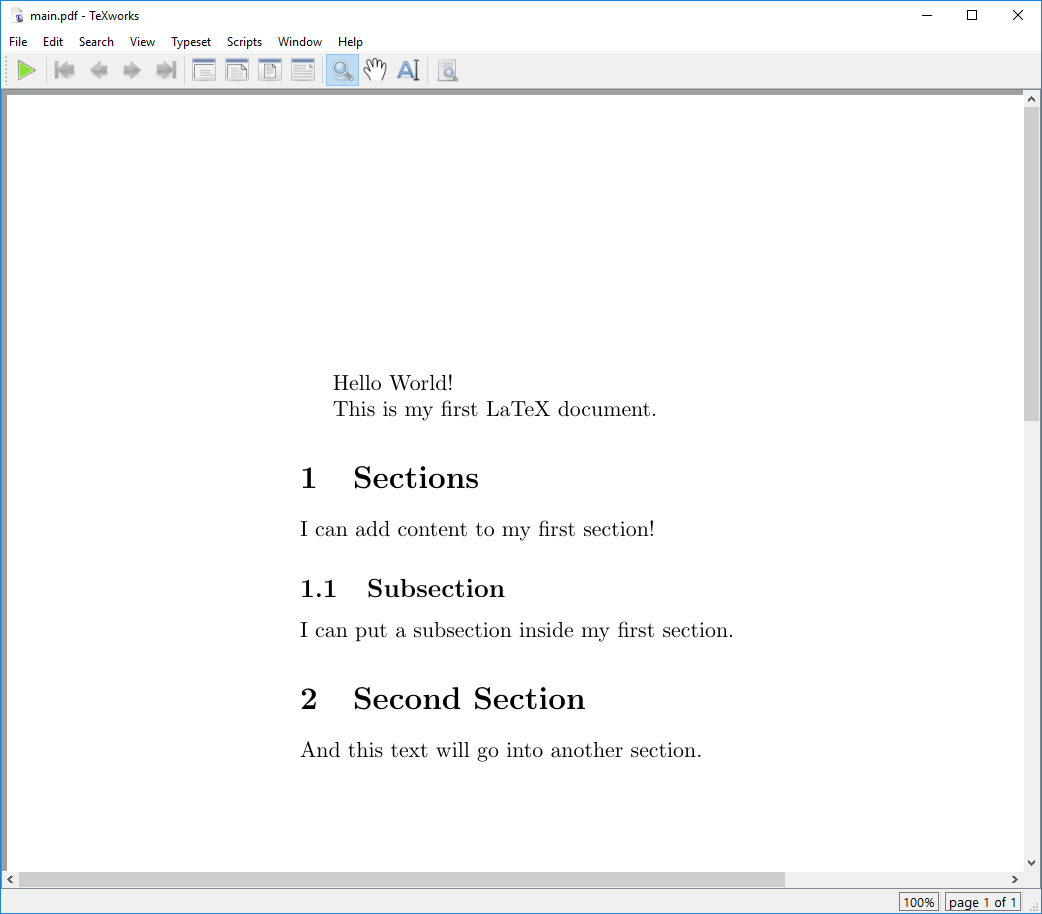
There are many different section commands in LaTeX, including
\subsubsection{...}, \paragraph{...},
\chapter{...}, and more. Each of these commands will create
a new section heading with a different level of indentation and
numbering.
Some of these commands are only available in certain document classes, so be sure to check the documentation for the class you are using.
There’s also an alternative way to create sections in LaTeX using the
\section*{...} command. This command will create a section
heading without numbering it. This can be useful for creating unnumbered
sections, such as an introduction or conclusion.
Table of Contents
We’ve seen how to make sections and how LaTeX will automatically
number them for us. But we can also use this feature to automatically
generate a table of contents for our document! We can do this by adding
the \tableofcontents command to our document body. This
will create a table of contents at the location where the command is
placed.
LATEX
% This command tells LaTeX what kind of document we are creating (article).
\documentclass{article}


% Everything before the \begin{document} command is called the preamble.
\begin{document} % The document body starts here

\tableofcontents

% The section command automatically numbers and formats the section heading.
\section{My First Section}

Hello World!

This is my first LaTeX document.

I can add content to my first section!

% The subsection command does the same thing, but for sections within sections.
\subsection{This is a Subsection of my First Section}

I can put a subsection inside my first section.

\section{This is a Second Section}

And this text will go into another section.

\end{document}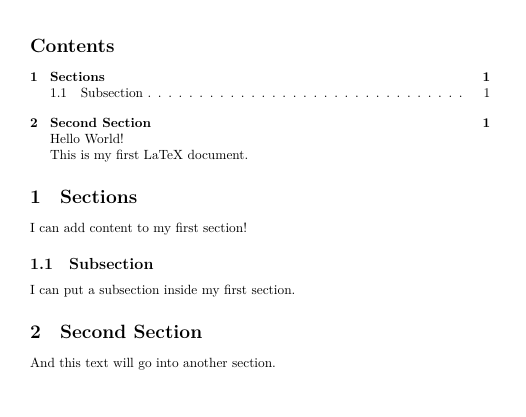
Challenges
Challenge 1:
- LaTeX documents are structured using section commands.
- There are many different section commands in LaTeX, including
\subsubsection{...},\paragraph{...},\chapter{...}, and more.
After this episode, here is what our LaTeX document looks like.